
Fix stutter and FPS dropsfrom real hardware data.
Upload your HWiNFO log. We find what's killing your FPS and rank the fixes by impact. Free to start — buy one report outright to unlock the full investigation behind it.
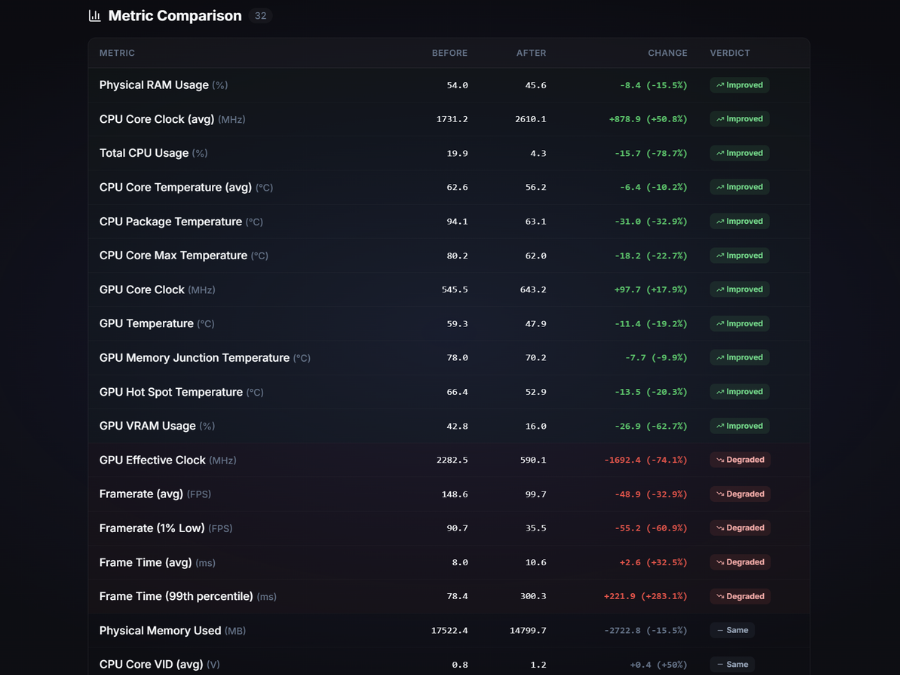
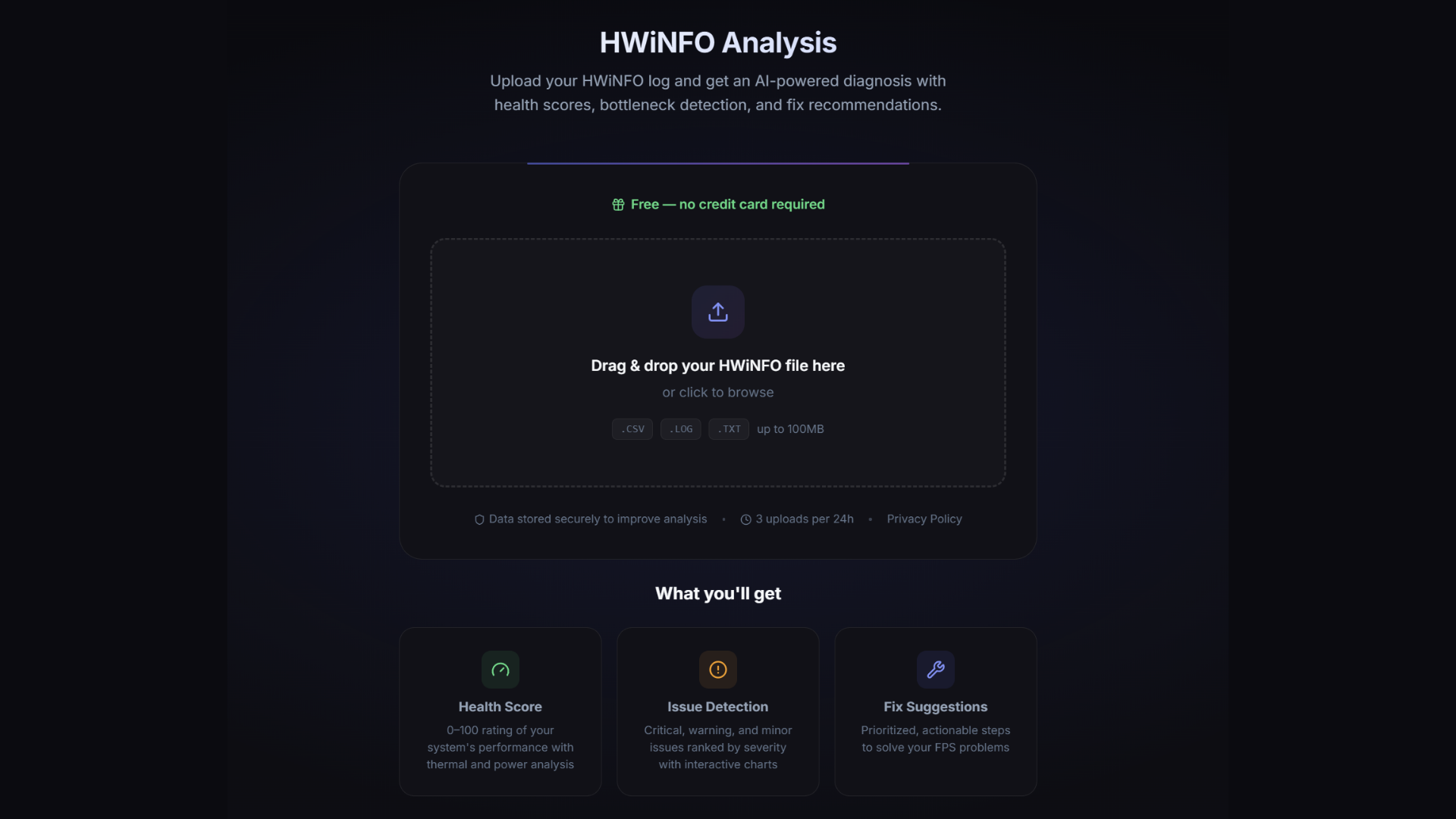
HWiNFO Analysis
Upload one HWiNFO log and get a full report: health score, the specific issues behind your FPS drops, and a ranked list of fixes to work through.
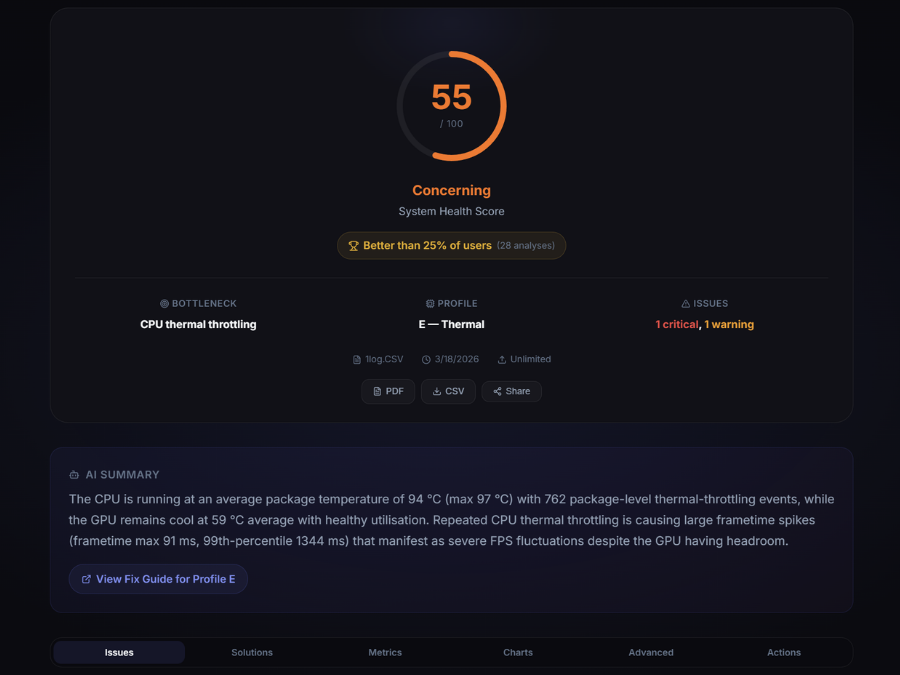
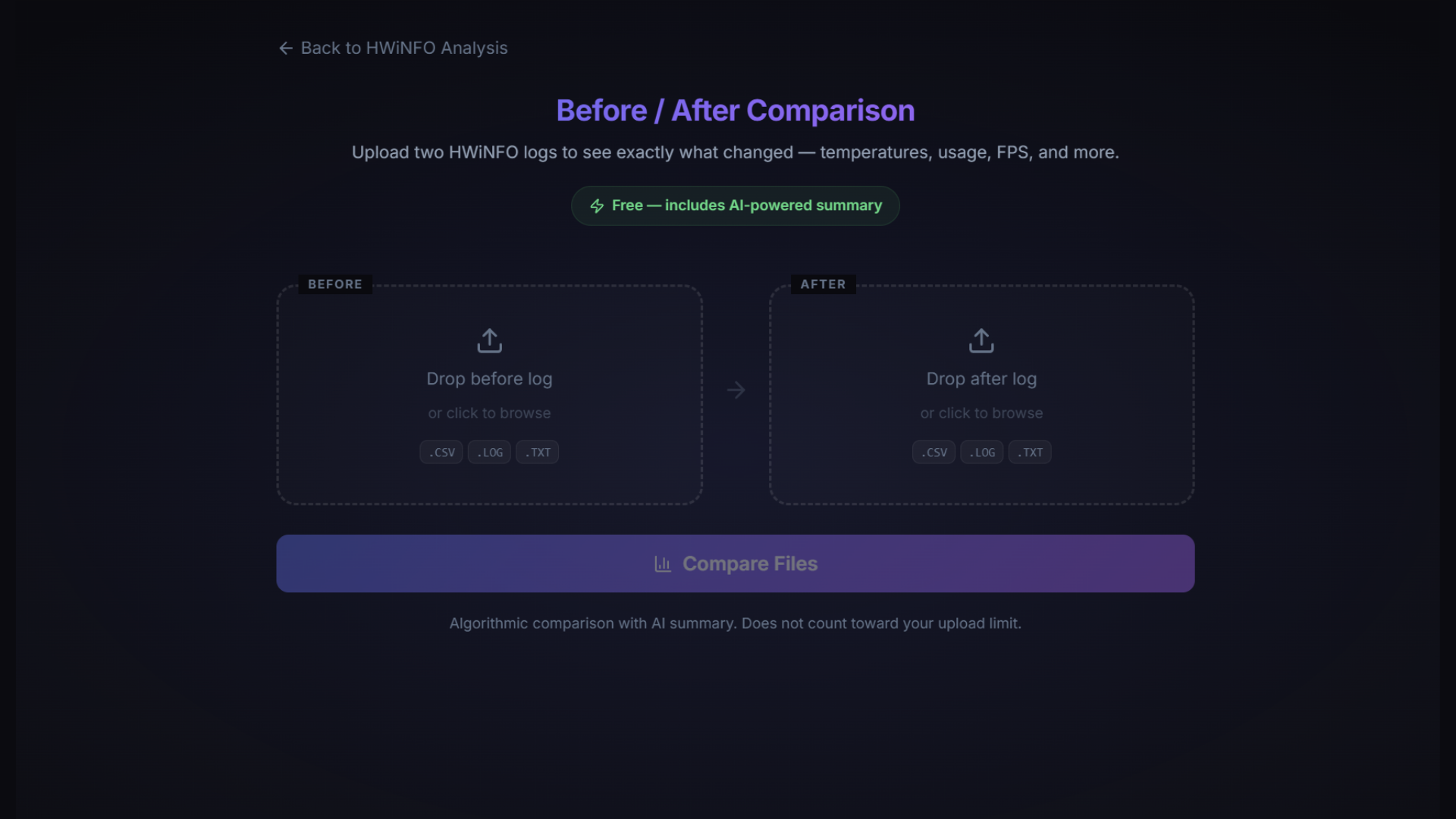
Before / After Compare
Upload two HWiNFO logs to see what actually changed: temperatures, usage, FPS, and a short AI summary of what the numbers mean.
Inside an HWiNFO analysis
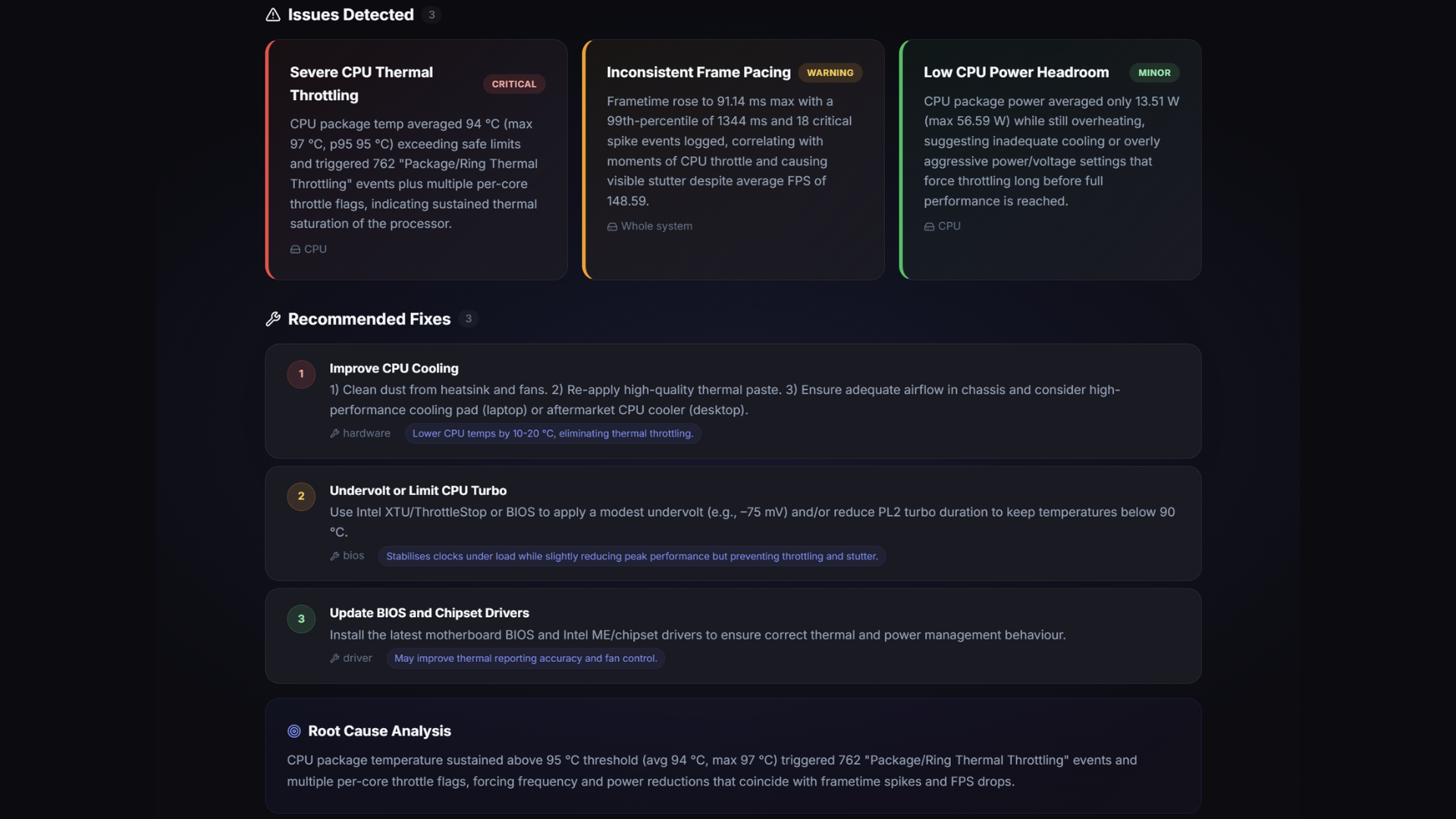
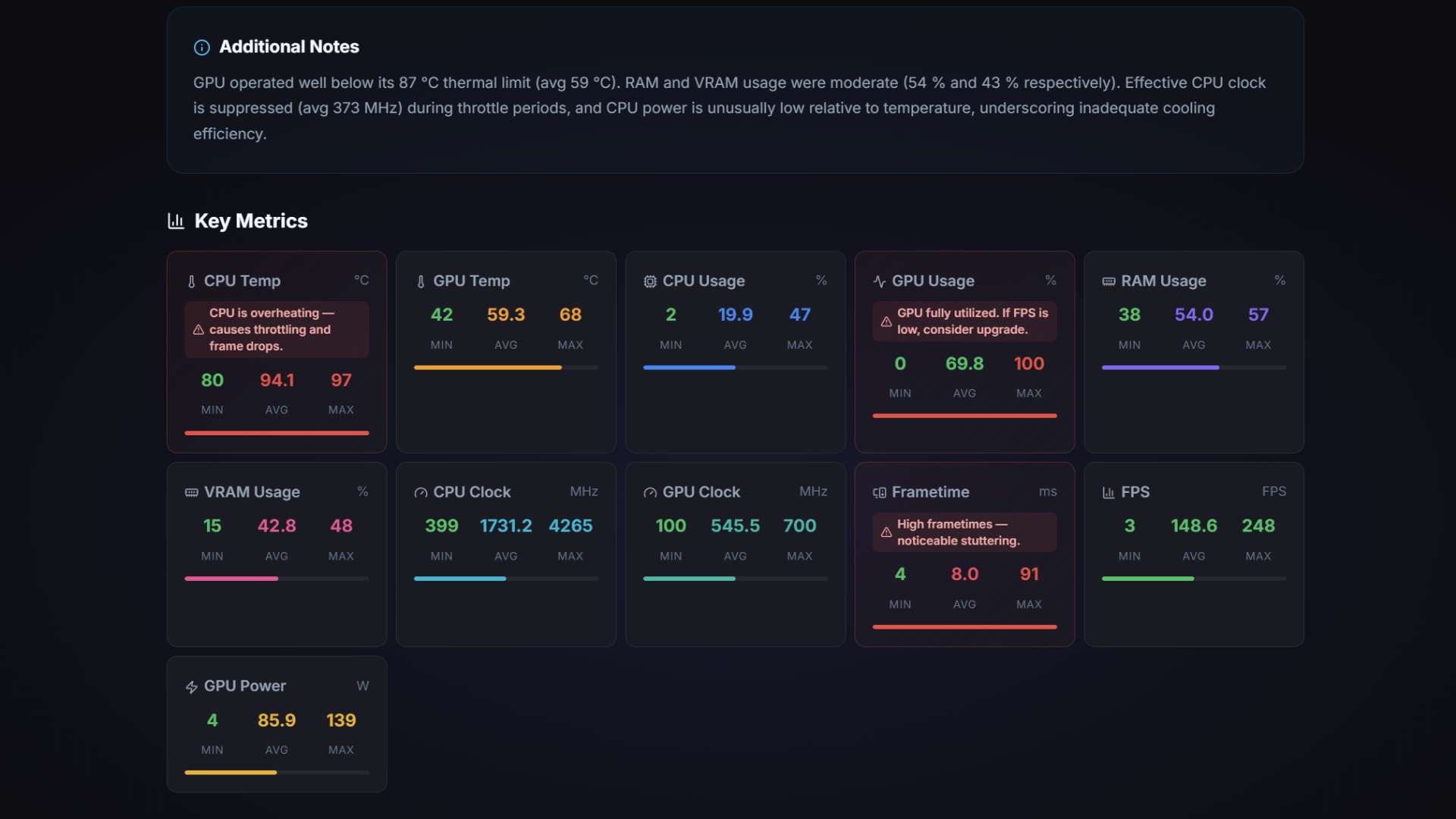
This is what you get after uploading a log: a health score, flagged issues, interactive charts, and a before/after compare view.
 Health score
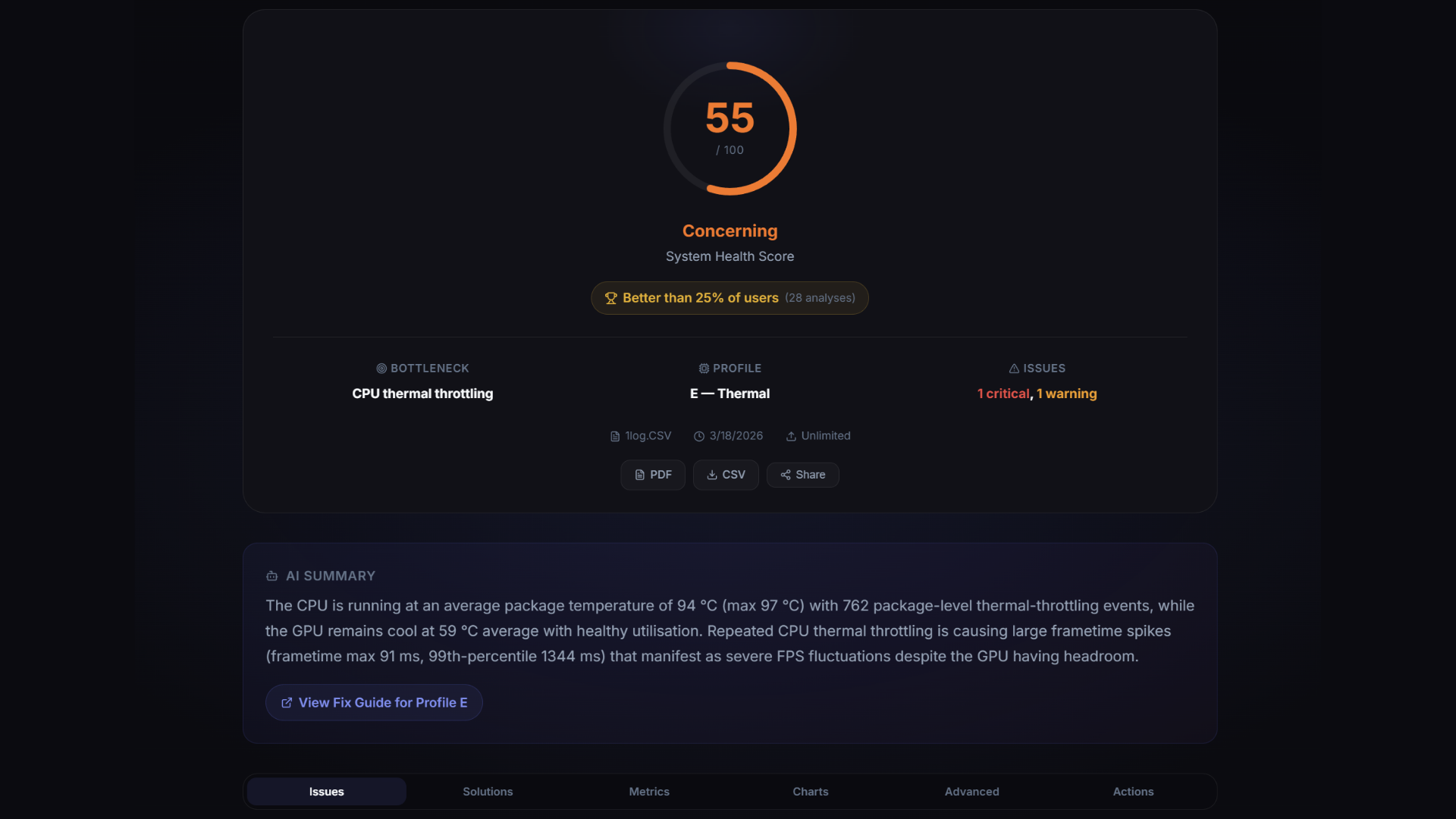 Issues found
 Charts
 Compare
 Root cause
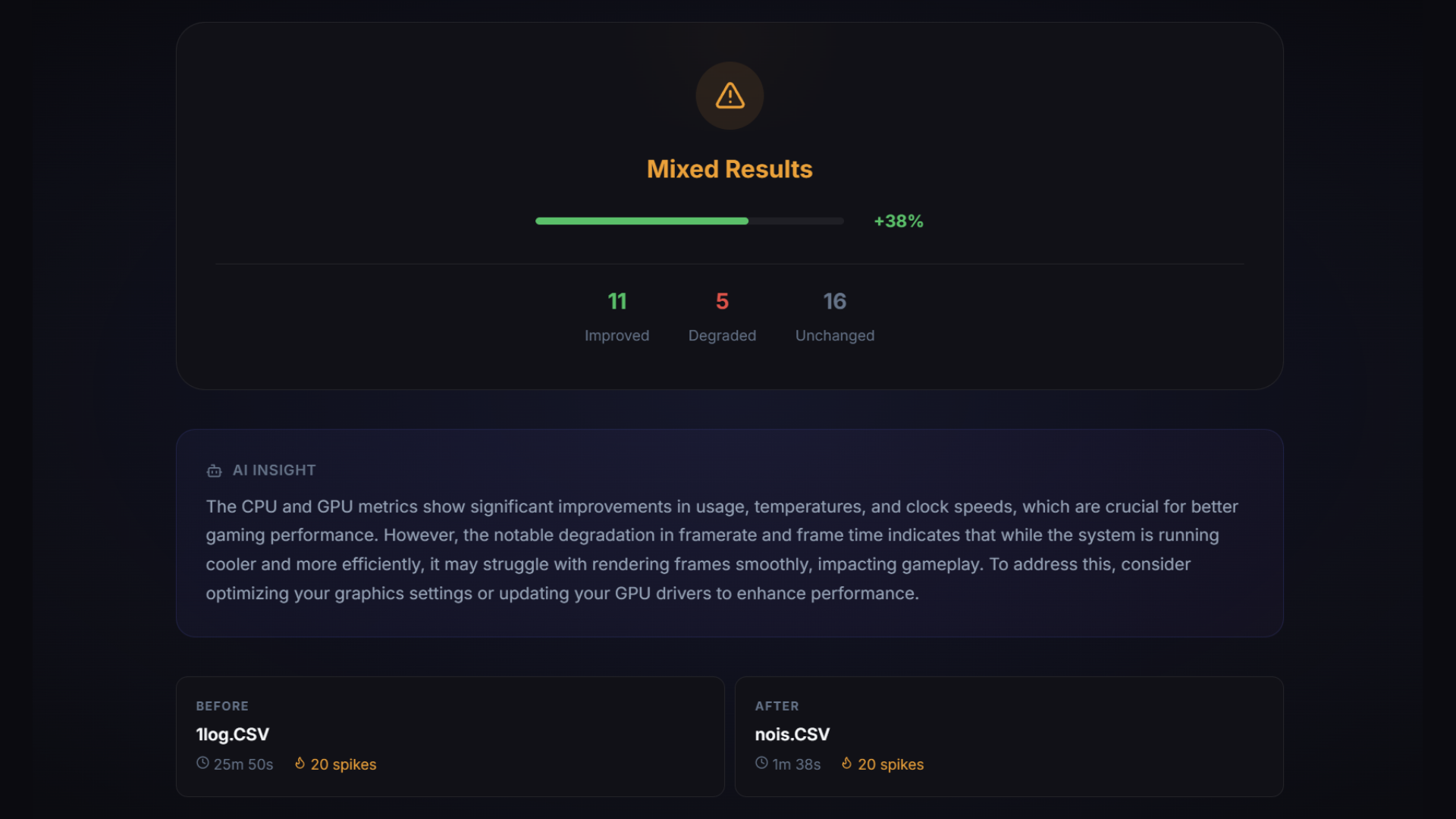 Improvement
PC game settings that match your GPU
Every setting tested across 20 games and 4 hardware tiers. You get FPS numbers for each tier, whether you're running a GTX 1650 or an RTX 4090, so the data matches your rig instead of some generic benchmark.
Try these first
These five clear about 80% of the issues people report.
Community tested
Every fix has been tried by gamers actually dealing with the problem.
Join r/SmoothFPSPopular guides
Common Questions
Why do I stutter even with a powerful PC?
A high-end PC gives you headroom. It doesn't guarantee smooth frames. Stuttering usually comes from software: driver regressions, background processes fighting for CPU time, or a v-sync misconfiguration that breaks frame pacing. When a good rig stutters, the fix is almost always above the silicon.
Is stuttering the same as low FPS?
No, they feel different. Low FPS is a steady slowdown where the game can't push enough frames. Stuttering happens even at 100+ FPS if those frames arrive unevenly. Your eye reads the uneven spacing as stutter no matter how high the average frame rate climbs. Stuttering is a frame-timing problem; low FPS is a frame-rate problem.
What is HWiNFO and why do I need it?
HWiNFO is a free Windows tool that records what your hardware is doing while you play: temps, clocks, usage, and dozens of other sensors. Upload that log here and the analyzer reads the sensor data from the moment your FPS dropped or the stutter hit. The advice you get back is based on what your rig was literally doing, which is why it beats generic checklists.